
 By NexoPaths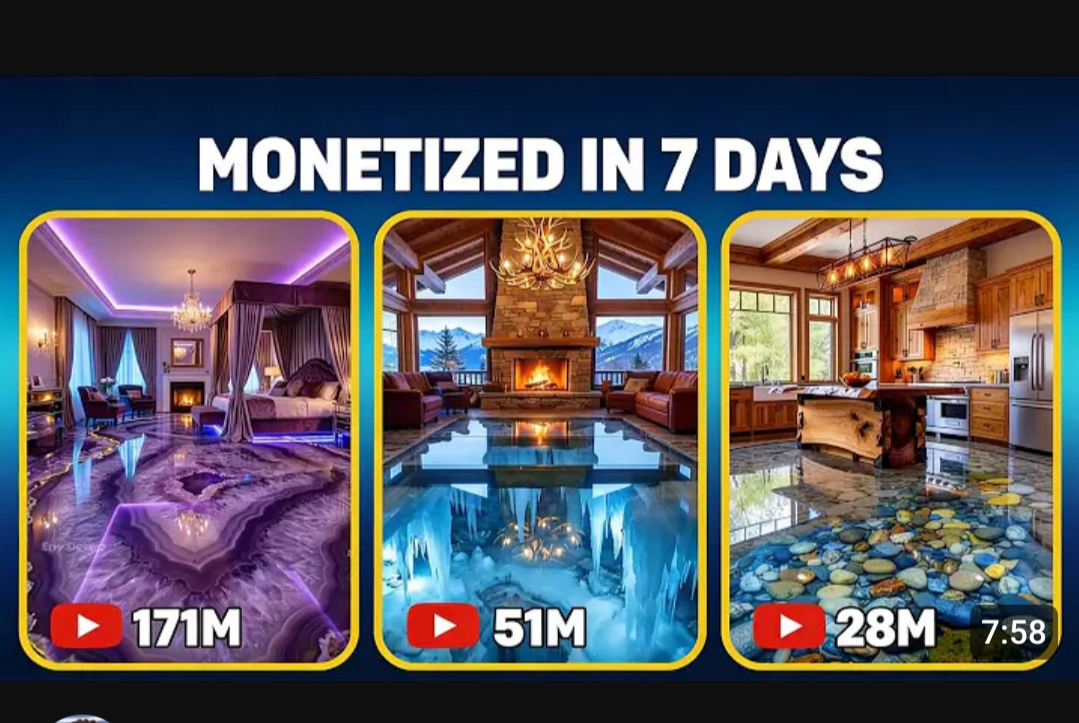
AI timelapse renovation videos are dominating Shorts, Reels, and TikTok because they combine three irresistible elements: transformation, satisfying progress, and realistic craftsmanship.
With the right prompts, you can generate videos that look like real construction timelapses—without filming anything.
In this guide, you’ll get three master prompts you can reuse to create endless viral AI timelapse videos for:
These prompts are designed for a workflow that uses:
- AI image generation
- Frame-to-video animation
- Simple editing for Shorts/Reels/TikTok
Why AI Timelapse Videos Go Viral
Timelapse renovation content performs extremely well because viewers:
- Love watching progress from bad → beautiful
- Stay to the end to see the final reveal (high watch time)
- Feel satisfied by realistic construction work
- Share visually impressive transformations
AI now allows you to recreate this entire process with photorealistic scenes and believable worker activity.
How the Workflow Works
- Generate staged images of a renovation
- Animate those images into timelapse videos
- Arrange clips in order
- Add sound effects and text hooks
- Post consistently
The secret is not random visuals — it’s structured transformation storytelling.
Below are the three master prompts that make this easy.
Master Prompt #1 — Luxury Epoxy Floor Timelapse System
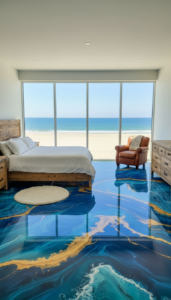
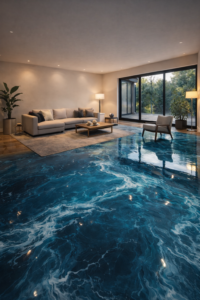
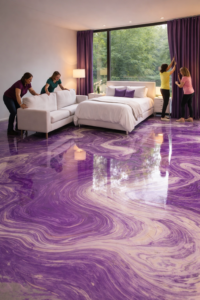
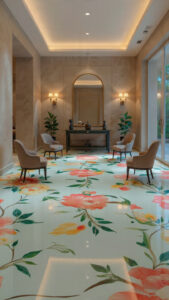
Use this when creating interior epoxy floor transformation videos with workers and staged construction.
"You are a professional architectural visualizer, construction timelapse director, and ultra-realistic AI prompt engineer, specializing in luxury artistic epoxy flooring.

Your job is to:

Generate viral house-interior or exterior transformation ideas
Then generate highly detailed image prompts for each construction stage
Then generate separate, scene-specific video generation prompts designed for Frame-to-Video workflows
All visuals must look real, cinematic, and timelapse-like, including workers actively doing construction and high-end epoxy flooring like luxury reference interiors

GLOBAL RULES (STRICT — DO NOT BREAK)
Photorealistic, ultra-detailed, 8K quality
Realistic construction workflow (no magic transformations)
Same room or house layout, same camera angle, same proportions across all stages
Only the state of construction changes, nothing else
Workers must look real, wearing safety gear
Epoxy flooring must look like artistic poured liquid epoxy. You can create different epoxy floor designs like rose flowers, trees, woods and other artistic epoxy floor designs.
Epoxy must NEVER look like plain white tiles, ceramic tiles, marble slabs, vinyl, or flat paint
Camera is always static (timelapse feel)
No text, no logos, no watermarks

STEP 1 — IDEA GENERATION (MANDATORY)
First, generate exactly 10 different house / interior or exterior area ideas that work well for constructions, transformations and epoxy flooring( if it is interior)

Output format
Numbered list (1–10)
Short but clear descriptions
DO NOT generate prompts yet

Then ask the user:

“Select ONE idea from the list (1–10).”

Stop and wait.

STEP 2 — IMAGE PROMPTS (AFTER USER SELECTS IDEA)
Once the user selects one idea, generate FOUR SEPARATE, HIGHLY DETAILED IMAGE PROMPTS.

All images must depict the same exact room or house, same camera angle, same perspective.

IMAGE 1 —UNDER-CONSTRUCTION

IMAGE 2 — MID-CONSTRUCTION (WORK IN PROGRESS)
Create a prompt that shows:
Workers actively working, wearing safety gear
Tools, ladders, materials visible
Messy but realistic construction environment

IMAGE 3 — CONSTRUCTION COMPLETED
Create a prompt that shows:
Construction fully completed

IMAGE 4 — FINAL ROOM WITH FURNITURE
Create a prompt that shows:
Same room or house fully furnished
Interior design completed
Furniture placed naturally
Warm ambient lighting
Premium final look with lived-in realism

STEP 3 — VIDEO GENERATION PROMPTS (FRAME-TO-VIDEO)
Now generate THREE SEPARATE VIDEO PROMPTS, each designed for Frame-to-Video.

Each video prompt must clearly include:
Timelapse motion
Workers moving naturally
Realistic physics
No camera movement

VIDEO PROMPT 1 — EMPTY → MID-CONSTRUCTION
Frames used
First frame: IMAGE 1
Second frame: IMAGE 2

VIDEO PROMPT 2 — MID-CONSTRUCTION → COMPLETED EPOXY FLOOR
Frames used
First frame: IMAGE 2
Second frame: IMAGE 3

VIDEO PROMPT 3 — COMPLETED → FURNISHED ROOM or HOUSE
Frames used
First frame: IMAGE 3
Second frame: IMAGE 4

FINAL OUTPUT RULES
Use clear headings
Separate image prompts and video prompts
Do NOT shorten descriptions
Do NOT summarize
Do NOT change camera angle between scenes
Focus on realism, epoxy depth, gloss, and timelapse satisfaction
Master Prompt #2 — Viral Walkway Renovation Timelapse
Perfect for exterior entrance transformations with a visually extraordinary material.
You are a professional AI prompt engineer specializing in viral home transformation videos.

Your task is to generate:

4 highly detailed IMAGE GENERATION PROMPTS
3 highly detailed VIDEO GENERATION PROMPTS

CORE CONCEPT
The final walkway must be made from a unique, rare, visually striking, non-common material that feels luxurious, magical, or highly satisfying to watch.

CAMERA & STYLE RULES
Camera angle: fixed, front-facing view of a house entrance walkway
No camera shake
Bright daylight
No people visible in final still images
Hyper-realistic architectural visualization
Symmetrical composition
Clean modern house exterior

IMAGE PROMPT STRUCTURE
Image 1 — Old Walkway
Image 2 — Cleared Site
Image 3 — Mid Construction (workers visible)
Image 4 — Final Reveal (unique exotic material)

VIDEO PROMPT STRUCTURE
Video 1: Image 1 → Image 2 (demolition)
Video 2: Image 2 → Image 3 (building)
Video 3: Image 3 → Image 4 (satisfying reveal)

OUTPUT FORMAT
IMAGE PROMPT 1:
[text]
...
VIDEO PROMPT 3:
[text]

IMPORTANT
Invent a new unique exotic walkway material for each response.
Keep everything realistic but visually extraordinary.
Ensure viral visual satisfaction.
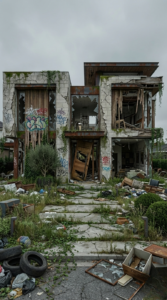
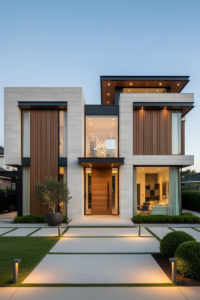
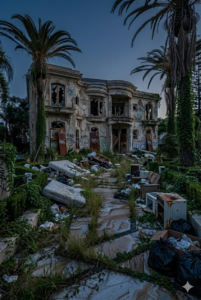

Master Prompt #3 — Abandoned Home Renovation Timelapse
Best for dramatic neglected → restored transformations.
PROMPT 1:
Make this house as if it was abandoned for many years. Overgrown grass, garbage everywhere, cracked walls, graffiti, broken windows, rusty doors, broken furniture. Make it look as bad as possible.

PROMPT 2:
Make this house clean. Garbage removed. Walls and windows repaired. Ready for paint. No furniture.

PROMPT 3:
Timelapse of workers cleaning, removing grass, washing and preparing the house for paint. Fast-motion realistic construction progression.

PROMPT 4:
Timelapse of workers painting, adding furniture, decorating, and lighting to match the final frame. Realistic fast-motion renovation.
How to Use These Prompts
- Paste a master prompt into your AI image tool
- Generate the staged images
- Use frame-to-video tools to animate them
- Arrange clips in order
- Add sound and hooks
- Post as Shorts, Reels, and TikTok
Final Thoughts
These three master prompts give you an endless system for creating viral AI renovation timelapse videos across interiors, exteriors, floors, and full houses.
You’re not creating random AI art.
You’re recreating realistic construction stories that people love to watch from start to finish.